DMC Lite Shield owner's guide
This guide covers the V2 socketed DIP board and Arduino GIGA R1 WiFi.
What’s new in V2? Differential outputs, replaceable drivers, per-axis lights and expanded trigger controls. Compare V1 and V2 in the changelog.
Start here: your first motor movement
- Connect the hardware. Check cables and mount the shield with all power disconnected. Keep motor power off.
- Flash the Arduino. Find Dragonframe’s sketches and upload both M7 and M4.
- Connect Dragonframe and jog one axis. Verify stop behavior, then test a short, slow move.
Before wiring: RJ45 is not Ethernet. The shield sends signals; external drivers supply motor power.
Already set up? Board tour · LED meanings · Pinouts · Troubleshooting
Meet your board
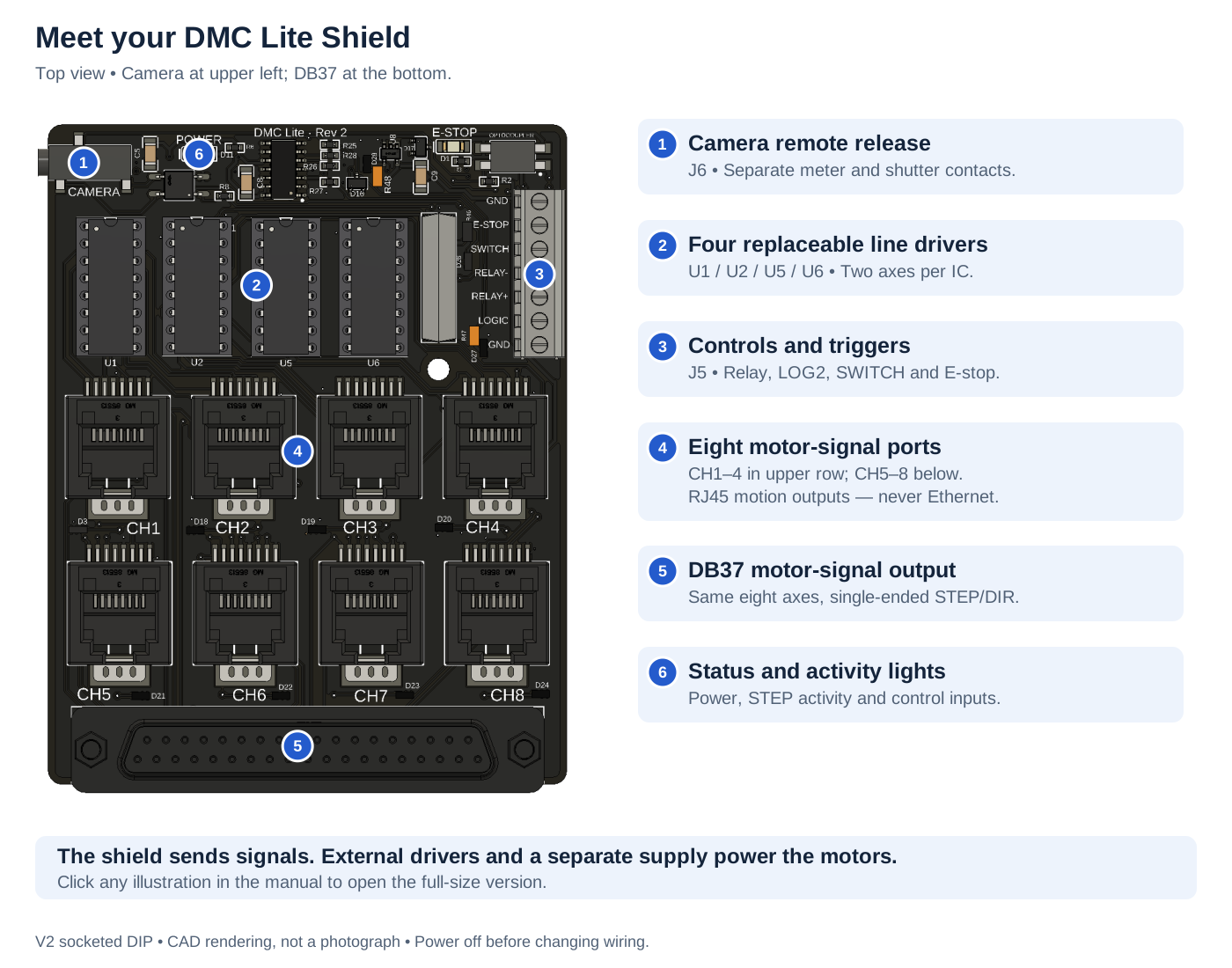
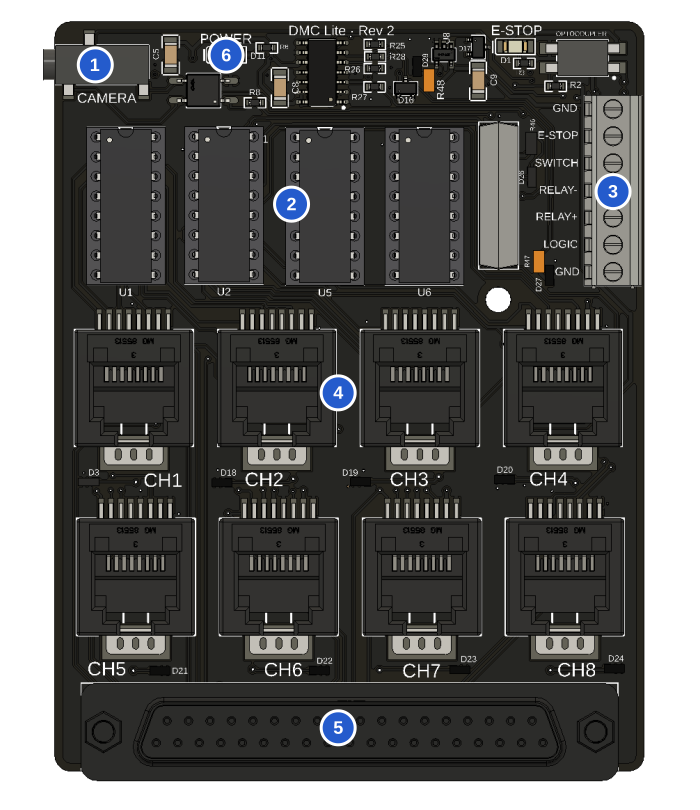
- Camera: J6 meter and shutter contacts.
- Drivers: U1/U2/U5/U6, two axes per IC.
- Controls: J5 relay, LOG2 and switch inputs.
- RJ45: eight motor-signal ports, never Ethernet.
- DB37: the same eight axes, single-ended.
- Lights: power, STEP and control activity.
Start with one axis · All pinouts · Troubleshooting
Find the main connectors and components
The highlighted parts keep their original appearance; the surrounding board fades into the background. Tap a view to enlarge.
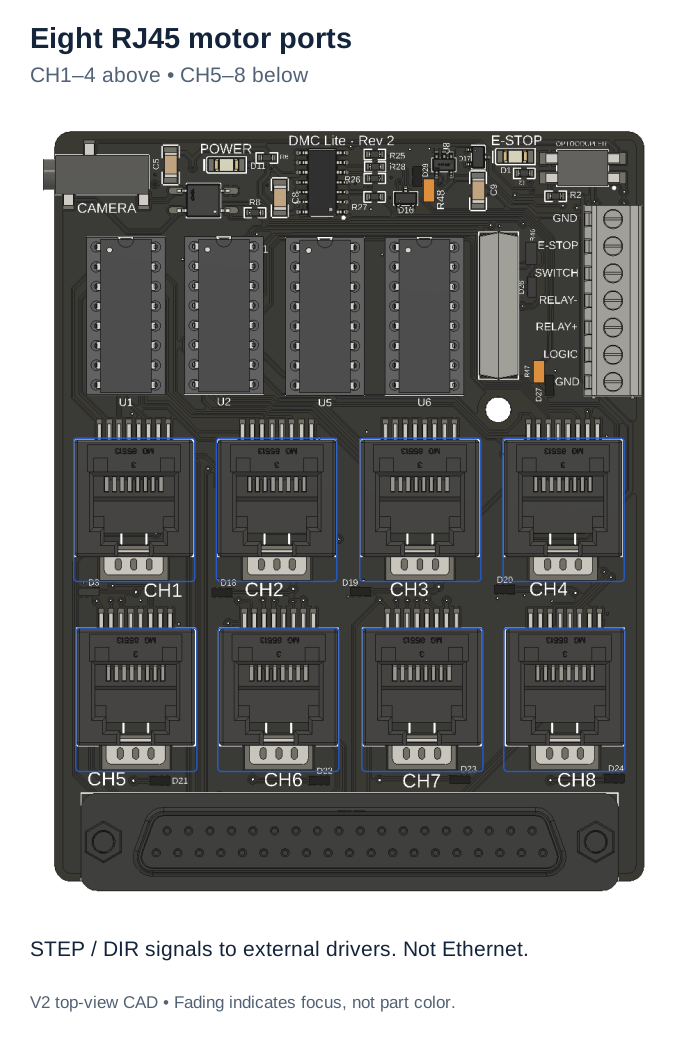
Eight RJ45 motor ports. CH1–4 above, CH5–8 below. STEP/DIR to external drivers; never Ethernet.
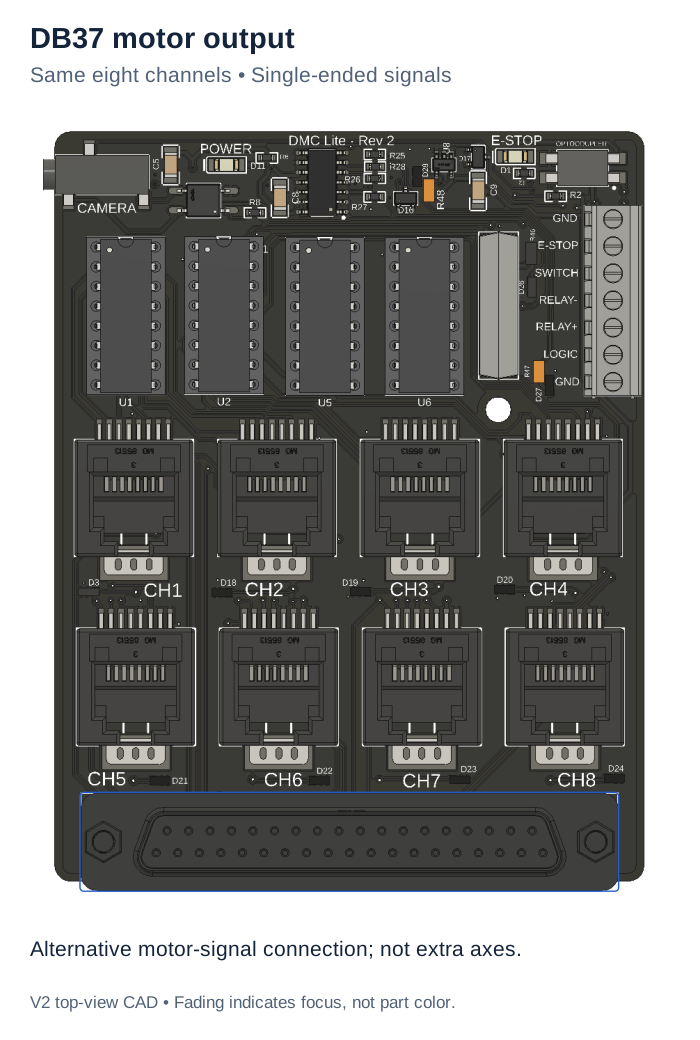
DB37 motor output. The same eight axes, with single-ended signals.
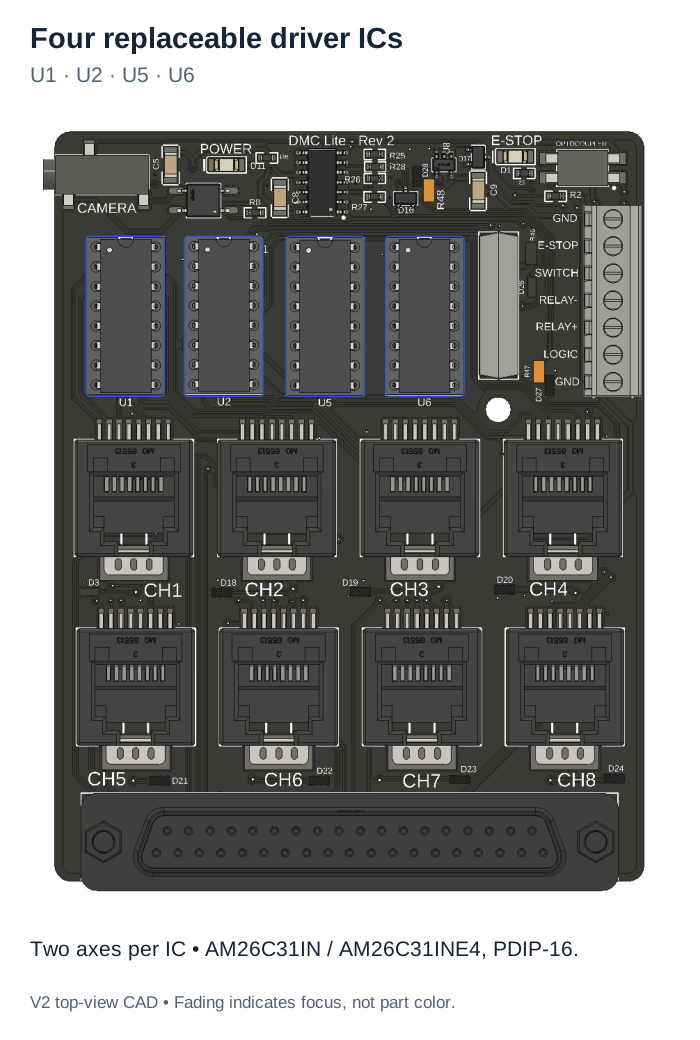
Four replaceable driver ICs. U1, U2, U5, U6. Two axes per IC; use AM26C31IN / AM26C31INE4 PDIP-16.
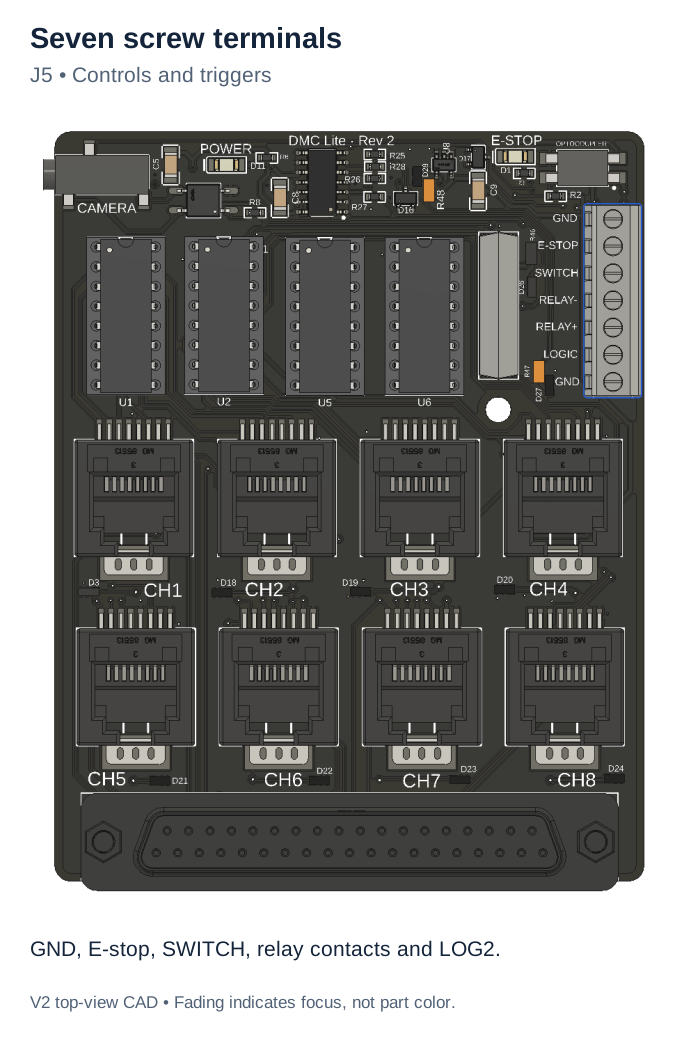
Seven screw terminals. J5: GND, E-stop, SWITCH, relay contacts and LOG2.
Connector pinouts · Driver replacement · Trigger wiring
What does that light mean?
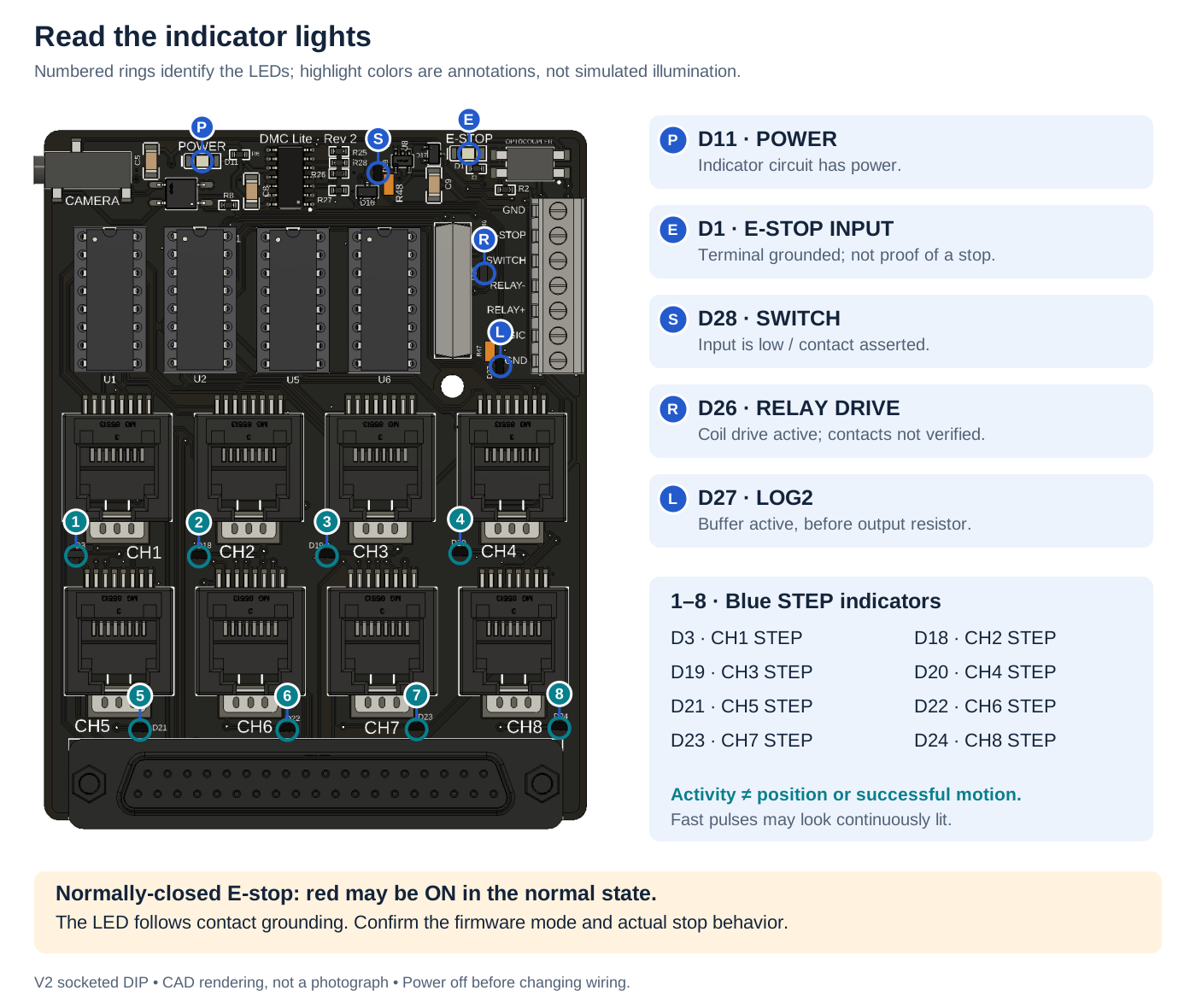
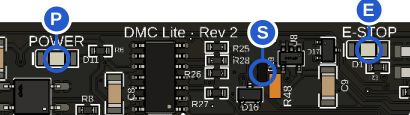
P — Power (D11): indicator circuit powered.
E — E-stop (D1): terminal grounded, not proof of stopping.
S — SWITCH (D28): contact asserted / input low.
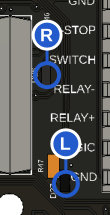
R — Relay (D26): coil drive active; contacts not verified.
L — LOG2 (D27): buffer active before its output resistor.
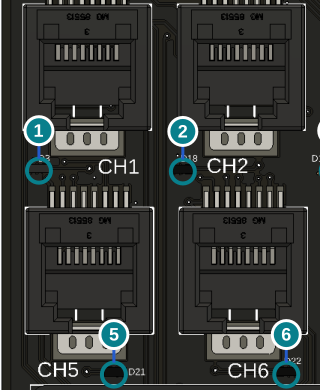
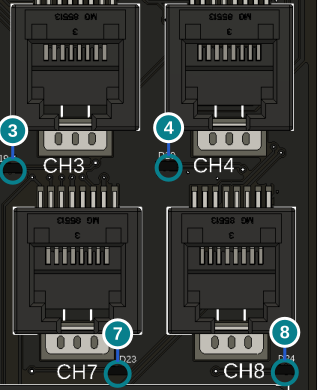
1–8 — STEP activity: D3, D18, D19, D20, D21, D22, D23, D24 respectively. Activity is not motor-position feedback.
NC E-stop: the red light may be on during normal operation. Verify firmware mode.
Read the indicator guide. The red E-stop light follows the contact state; it does not certify that motion has stopped.
Connect buttons, triggers and the relay
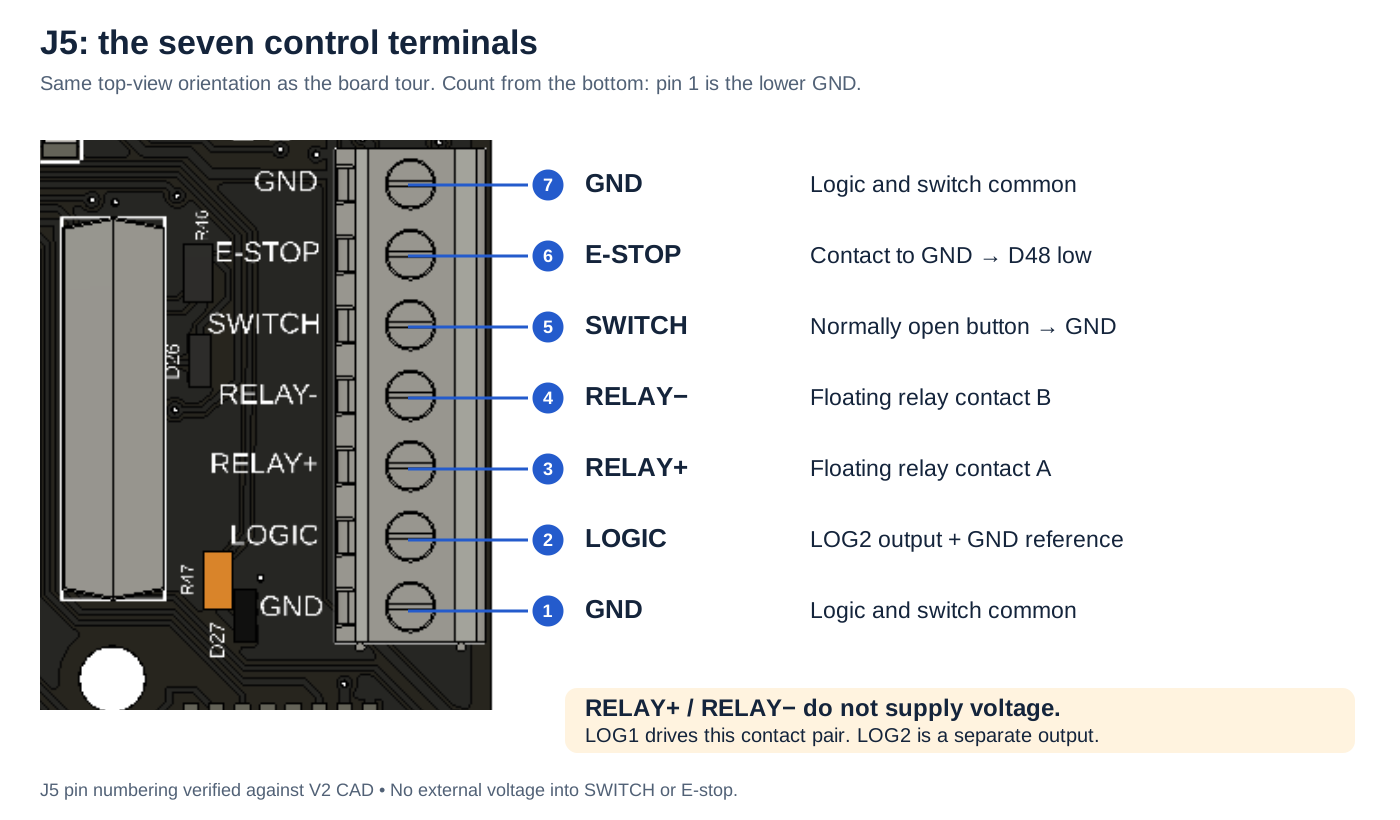
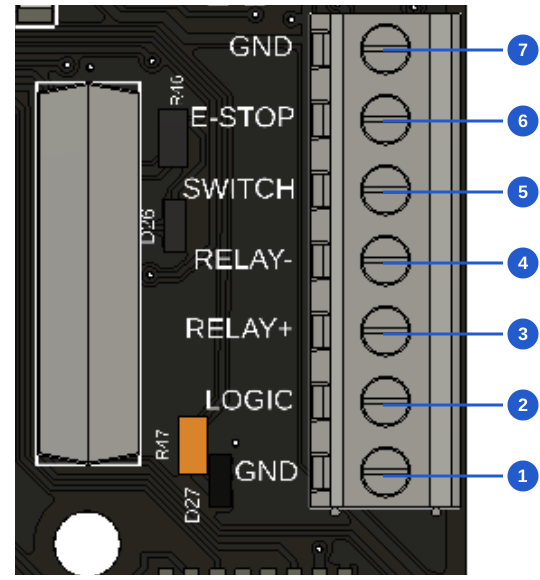
Top to bottom, in this board view:
| Pin | Connection |
|---|---|
| 7 | GND |
| 6 | E-stop contact to GND |
| 5 | SWITCH: normally open button to GND |
| 4 | RELAY−: floating contact B |
| 3 | RELAY+: floating contact A |
| 2 | LOGIC: LOG2 output |
| 1 | GND |
Relay contacts supply no voltage. LOG1 controls the pair; LOG2 is separate.
Wiring examples and Dragonframe events · Stop-button setup
Replace a damaged driver
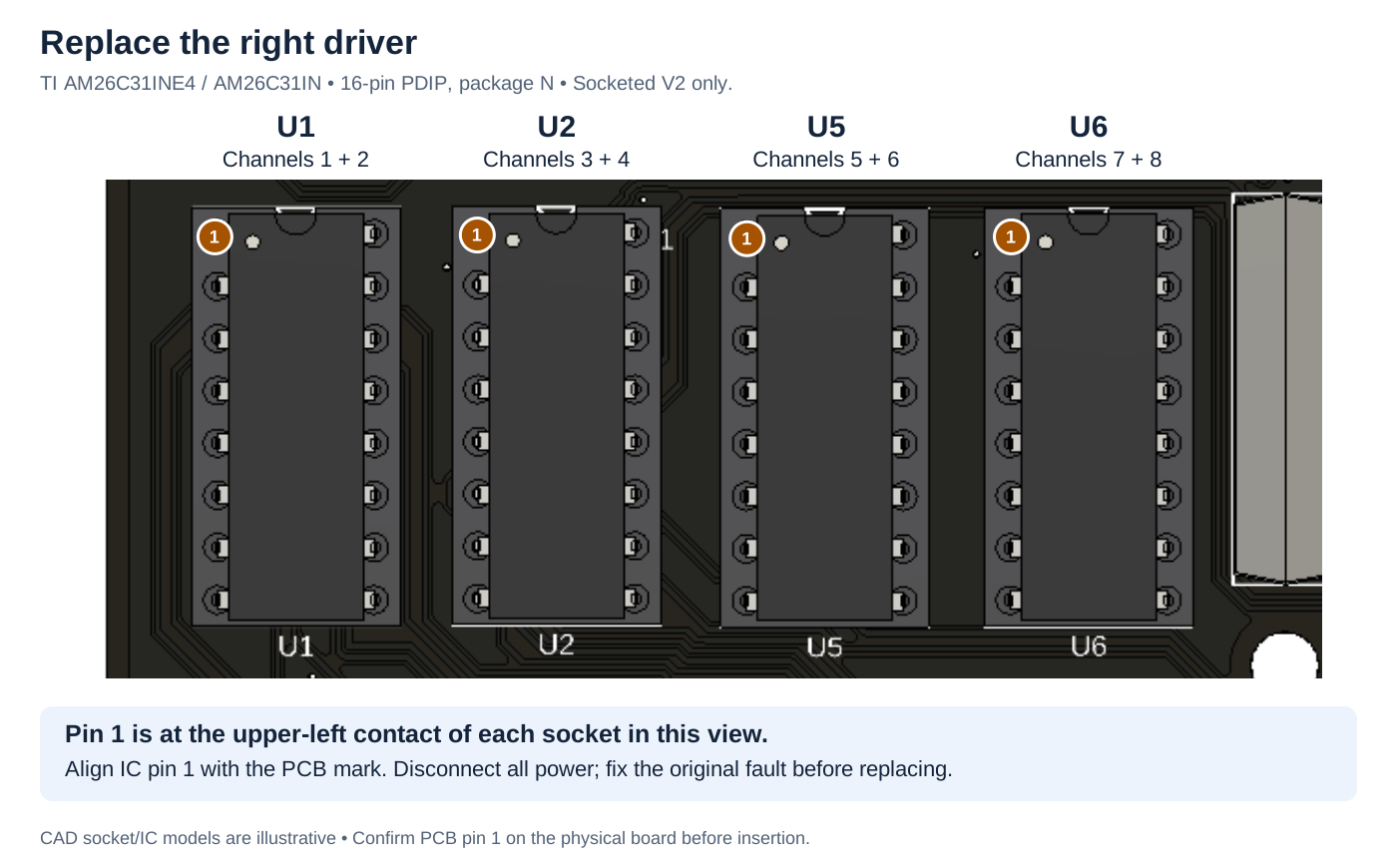
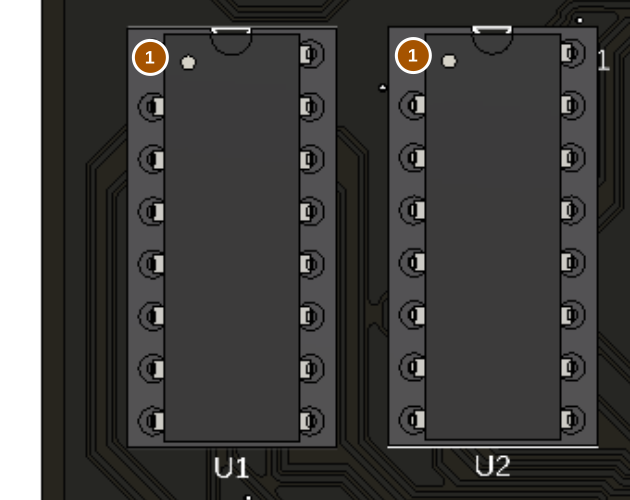
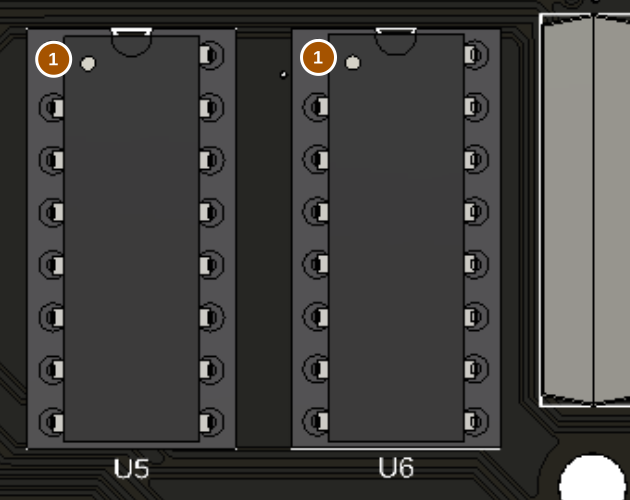
| IC | Channels |
|---|---|
| U1 | 1 + 2 |
| U2 | 3 + 4 |
| U5 | 5 + 6 |
| U6 | 7 + 8 |
Pin 1: upper-left socket contact in these views. Verify the physical PCB marking.
Replacement: TI AM26C31IN / AM26C31INE4, 16-pin PDIP (N). Disconnect power first.
Buy TI AM26C31INE4 / AM26C31IN, 16-pin PDIP (N) for this socketed version. Follow the replacement procedure before removing a chip.
Put the Dragonframe sketch on the Arduino
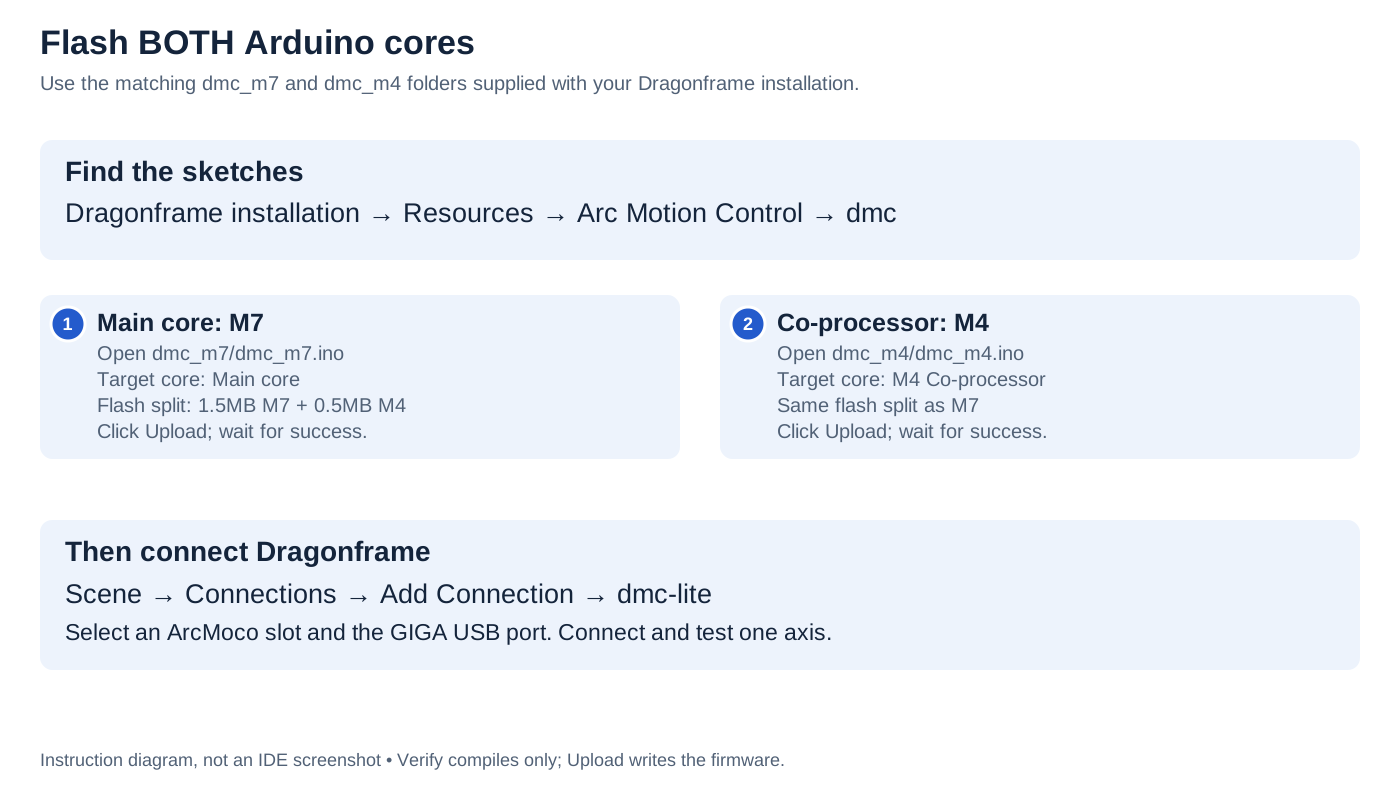
- Find sketches: Dragonframe installation → Resources → Arc Motion Control → dmc.
- Upload M7: open
dmc_m7.ino; target Main core. - Upload M4: open matching
dmc_m4.ino; target M4 Co-processor. - For both: 1.5MB M7 + 0.5MB M4 flash split. Click Upload, not just Verify.
- Connect: Scene → Connections → dmc-lite; choose ArcMoco slot and GIGA port.
Open the step-by-step flashing guide for macOS, Windows and Linux folder navigation, IDE settings and troubleshooting.
Before you power up
The shield sends control signals; external drivers supply motor power. RJ45 is not Ethernet. Disconnect power before changing cables or removing ICs.
These are CAD views of the October 16, 2026 V2 socketed DIP design. They do not document assembly or operating tests. First-board acceptance results, delivered firmware configuration and camera plug wiring remain unconfirmed. V1 and surface-mount versions need their own instructions. Sources and illustration notes.