E-stop input
J5 pin 6 is an input for a stop contact. It is not an output and does not remove motor power. Although its circuit includes an optocoupler, shared grounds mean the shield is not fully galvanically isolated.
Treat this as a firmware stop request, not a safety-rated emergency-stop system. A rig that can injure someone or drop a load needs an appropriate independent stopping arrangement. Motors may remain energized after STEP pulses stop.
Wire and configure together
With power off, connect the stop contact between J5 pin 6 and GND (pin 1 or 7). Do not apply an external voltage. Grounding pin 6 pulls GIGA D48 low.
Enable the GIGA M7 configuration:
#define KILL_SWITCH_PIN D48
The archived prototype configurations have this disabled. A wired button alone does not enable stopping.
| Firmware mode | Contact during normal operation | Stop condition |
|---|---|---|
| Normally open, low asserts stop | Open | Closing contact to ground |
| Normally closed, supported/configured firmware | Closed to ground | Opening contact |
The official Dragonframe 2026 firmware includes KILL_SWITCH_NORMALLY_CLOSED; the older local prototype candidate does not implement it. Adding a define to firmware that lacks the implementation does nothing. Use the matching official M4/M7 pair and follow its configuration comments if normally-closed operation is required. See firmware.
D1 lights when the terminal is grounded. With normally-closed wiring, that may mean the normal, unpressed state; the LED can go out when stopping. It does not confirm the software acted.
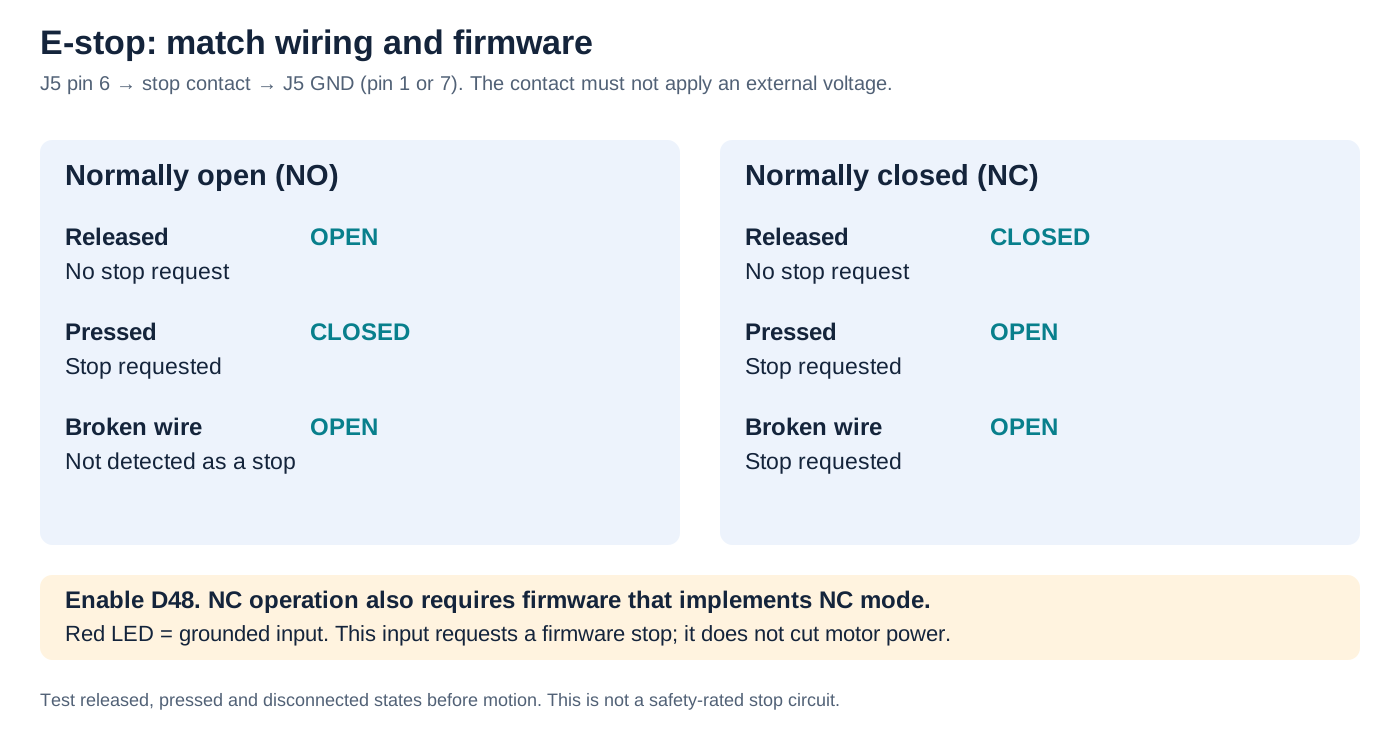
Wire J5 pin 6 → stop contact → GND (pin 1 or 7). No external voltage.
| Contact mode | Normal | Stop | Broken wire |
|---|---|---|---|
| Normally open | Open | Closed | Not detected |
| Normally closed | Closed | Open | Stop request |
Enable D48; NC behavior requires firmware that implements NC mode. Red LED means grounded input. This does not cut motor power.
Test before motion
- Keep motor power off. Verify the open and closed contact states electrically, and that firmware interprets each correctly.
- Test a disconnected/broken switch wire. A normally-open circuit cannot distinguish this from a released button. Confirm the chosen normally-closed implementation responds to an open wire.
- With travel clear and independent stopping available, enable one axis and test at low speed. Confirm the stop response and actual stopping distance.
- Release/reset the contact deliberately. Verify the rig does not make an unexpected move and establish how motion is resumed in your setup.
Repeat after firmware changes or rewiring. If the LED changes but motion is not inhibited, disable motor power and check the selected firmware mode, D48 configuration and uploaded M7 sketch. Do not continue motion tests with an unverified stop.