What the indicator lights mean
The lights show local circuit activity. They do not report motor position, camera capture success or a tested safety state. The table describes intended V2 circuit behavior; physical LED operation remains to be checked on the first boards.
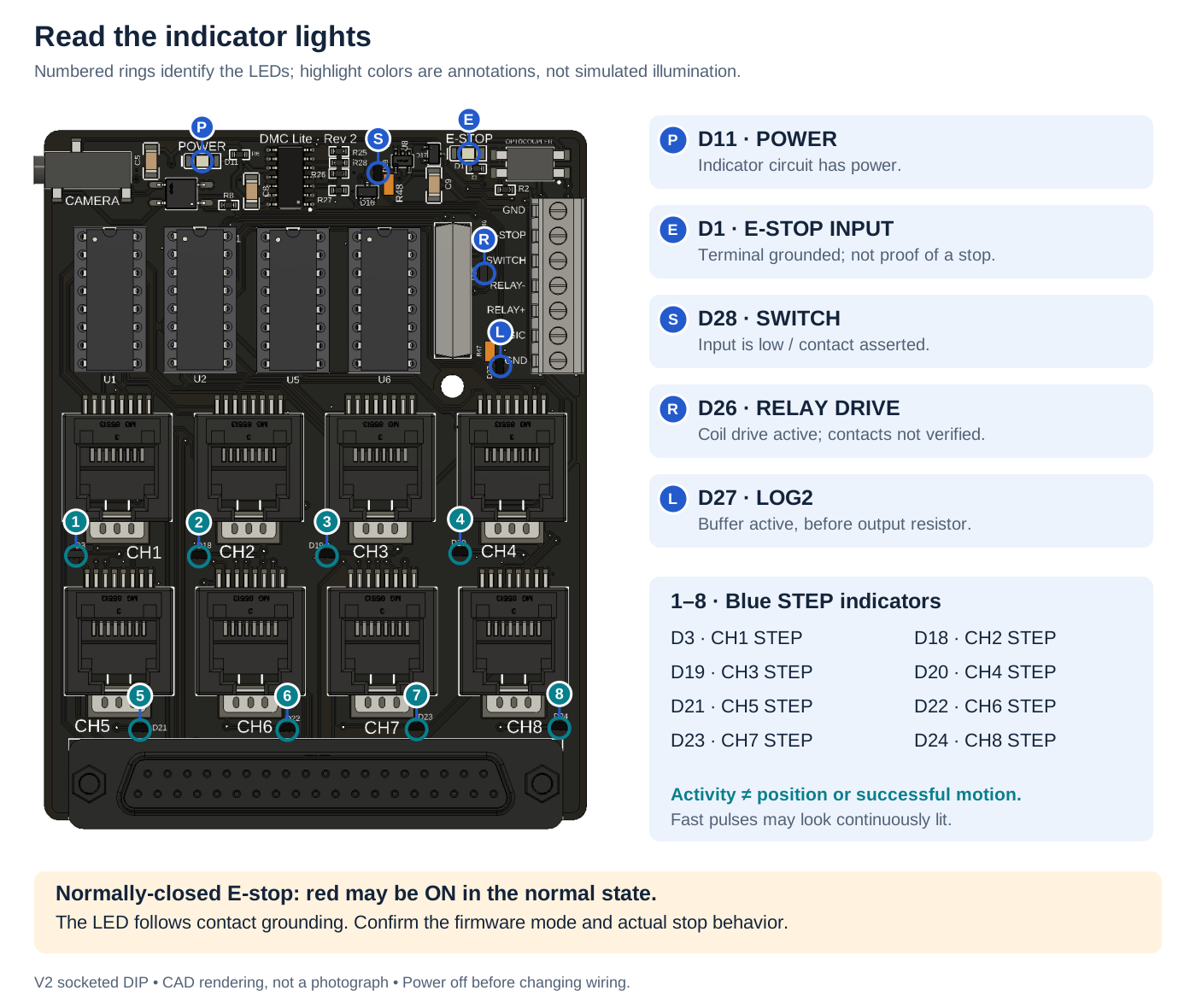
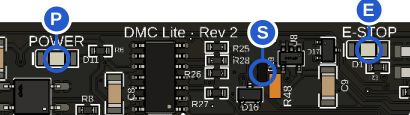
P — Power (D11): indicator circuit powered.
E — E-stop (D1): terminal grounded, not proof of stopping.
S — SWITCH (D28): contact asserted / input low.
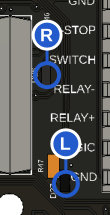
R — Relay (D26): coil drive active; contacts not verified.
L — LOG2 (D27): buffer active before its output resistor.
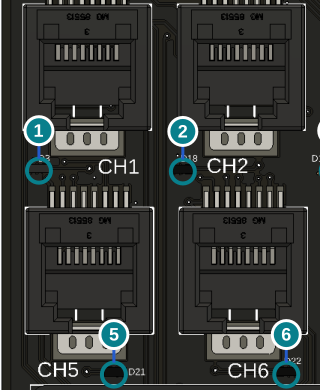
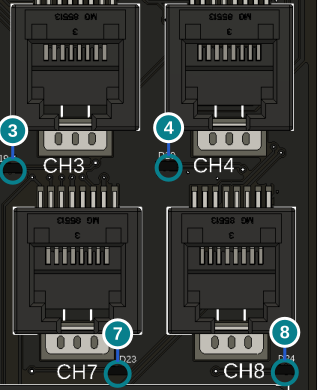
1–8 — STEP activity: D3, D18, D19, D20, D21, D22, D23, D24 respectively. Activity is not motor-position feedback.
NC E-stop: the red light may be on during normal operation. Verify firmware mode.
| Indicator | PCB reference | Meaning when lit | What it does not confirm |
|---|---|---|---|
| Power, green | D11 | Power indicator circuit energized | USB connection or firmware running correctly |
| Channel 1 STEP, blue | D3 | STEP+ activity on channel 1 | Motor movement or driver health |
| Channel 2 STEP, blue | D18 | STEP+ activity on channel 2 | Motor movement or driver health |
| Channel 3 STEP, blue | D19 | STEP+ activity on channel 3 | Motor movement or driver health |
| Channel 4 STEP, blue | D20 | STEP+ activity on channel 4 | Motor movement or driver health |
| Channel 5 STEP, blue | D21 | STEP+ activity on channel 5 | Motor movement or driver health |
| Channel 6 STEP, blue | D22 | STEP+ activity on channel 6 | Motor movement or driver health |
| Channel 7 STEP, blue | D23 | STEP+ activity on channel 7 | Motor movement or driver health |
| Channel 8 STEP, blue | D24 | STEP+ activity on channel 8 | Motor movement or driver health |
| Relay drive | D26 | Relay coil drive active through LOG1 | Contacts closed or external device responded |
| LOG2 | D27 | Logic buffer active before its output resistor | Correct voltage at the loaded terminal |
| SWITCH | D28 | Switch input low / contact asserted | Firmware enabled or Dragonframe action occurred |
| E-stop input, red | D1 | E-stop terminal grounded | Motors stopped or stop system functioning |
The STEP indicators include a hardware hold circuit so short activity is easier to see. At higher pulse rates they may look continuously lit; they are not pulse counters or direction indicators. An idle motor can still be energized by its external driver while the STEP light is off.
Normally-closed E-stop configuration changes the interpretation: a closed healthy contact grounds the terminal, so the red LED can be on during normal operation and go out when the contact opens. Read E-stop setup; do not infer “safe” from the red light alone.
If a light behaves unexpectedly, start with troubleshooting before replacing parts.