Replacing a damaged line-driver IC
For the V2 socketed DIP board, buy Texas Instruments AM26C31INE4, 16-pin PDIP, package N. AM26C31IN is the ordering equivalent listed by TI. Check manufacturer and package on the distributor listing; the chip may be marked AM26C31IN. TI ordering information · datasheet and pin-1 drawing.
An AM26C31 in SOIC, SSOP or TSSOP will not plug into this socket. The AM26C31 is a signal line driver on the shield; it is different from the external power driver that drives the motor windings.
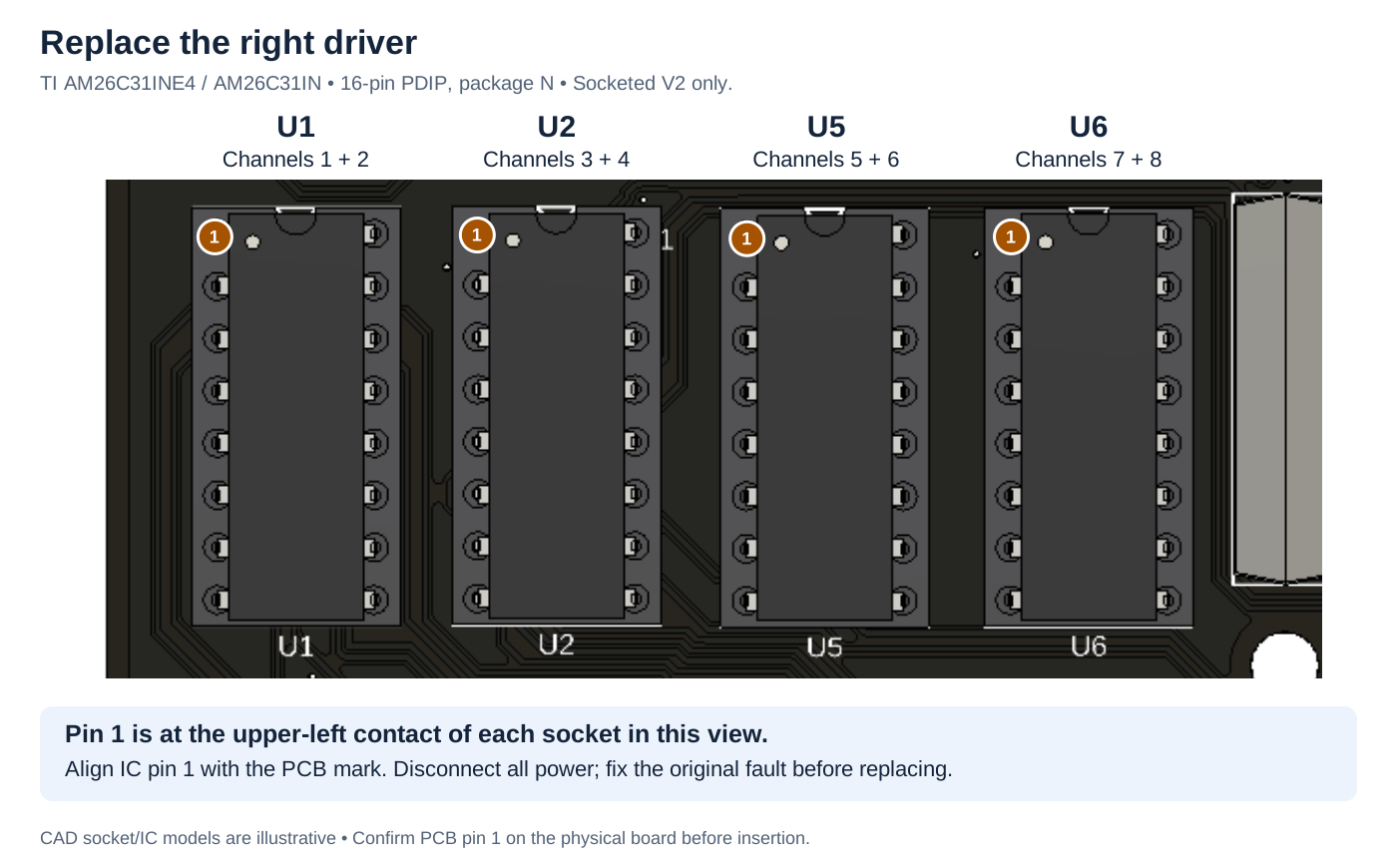
Which socket serves my channel?
| Socket reference | Channels |
|---|---|
| U1 | 1 and 2 |
| U2 | 3 and 4 |
| U5 | 5 and 6 |
| U6 | 7 and 8 |
Each chip carries STEP and DIR for two channels, including the positive signals used by DB37. One damaged chip can affect either or both channels, or only one signal. An LED alone cannot diagnose it.
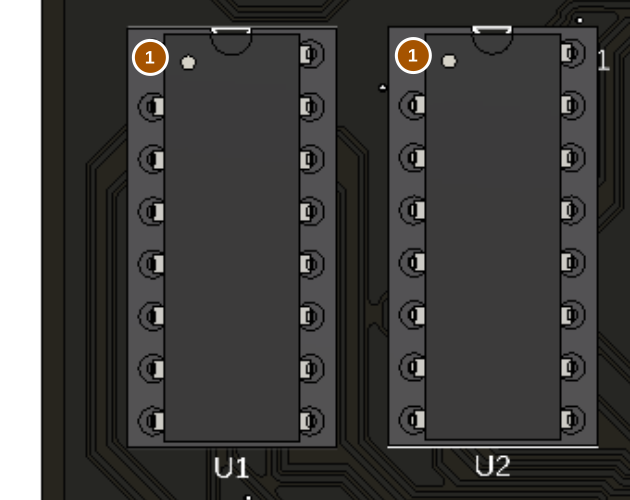
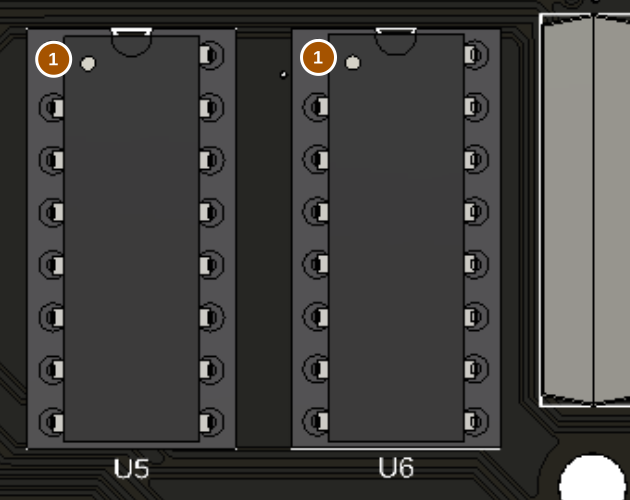
| IC | Channels |
|---|---|
| U1 | 1 + 2 |
| U2 | 3 + 4 |
| U5 | 5 + 6 |
| U6 | 7 + 8 |
Pin 1: upper-left socket contact in these views. Verify the physical PCB marking.
Replacement: TI AM26C31IN / AM26C31INE4, 16-pin PDIP (N). Disconnect power first.
Before replacing
Disconnect all power, including USB and external receiver connections that could feed voltage back. Look for cable shorts, incorrect pinouts, an output wired to ground or supply, and incorrect receiver wiring. Correct the cause first or the new IC may fail too. If the board/socket is scorched, a pad is damaged, or the cause is unknown, contact support before powering it again.
Replacement procedure
- Record the affected channel and IC reference. Photograph the original orientation, then verify pin 1 against the PCB marking and TI drawing. Do not assume a previously installed chip was correct.
- Use static-safe handling. With the board unpowered, use a DIP extractor to lift the IC evenly from its socket. Avoid bending the socket, levering on nearby components or pulling one end sharply upward.
- Check the empty socket for damage or debris. Align the new chip's pin 1 with the verified PCB pin 1. Check all 16 leads enter their contacts; press evenly. A folded lead can look seated from above.
- Inspect for reversed orientation, missed contacts and bent legs before applying power. If orientation cannot be established, stop and obtain a verified board photograph or support guidance.
- Start with external motor power off. If there is unexpected heating, smell or abnormal behavior, disconnect power immediately. Test the repaired outputs using appropriate test equipment or a verified receiver.
- Reconnect one known-good axis with power off, then test slow movement in both directions. Check both channels served by the IC before normal use.
This procedure applies only to socketed drivers. Soldered ICs and damaged sockets require suitable rework equipment and experience.